Guides · Club history
Add the scorebooks
Photographs of the books, read and checked against the page.
- 01
Tap Add, then Scan a scorecard: photos from the camera, several at once, a folder or a ZIP of a whole book. Say the side and the season if you know them.
- 02
Pavilion reads each page and suggests where each match starts.
- 03
Open a match: the page sits above what was read. Tap any figure and its box lights up on the page. Correct anything read wrongly; the book’s own sums are checked as you go.
- 04
When it matches the book, tap It matches the book: done.
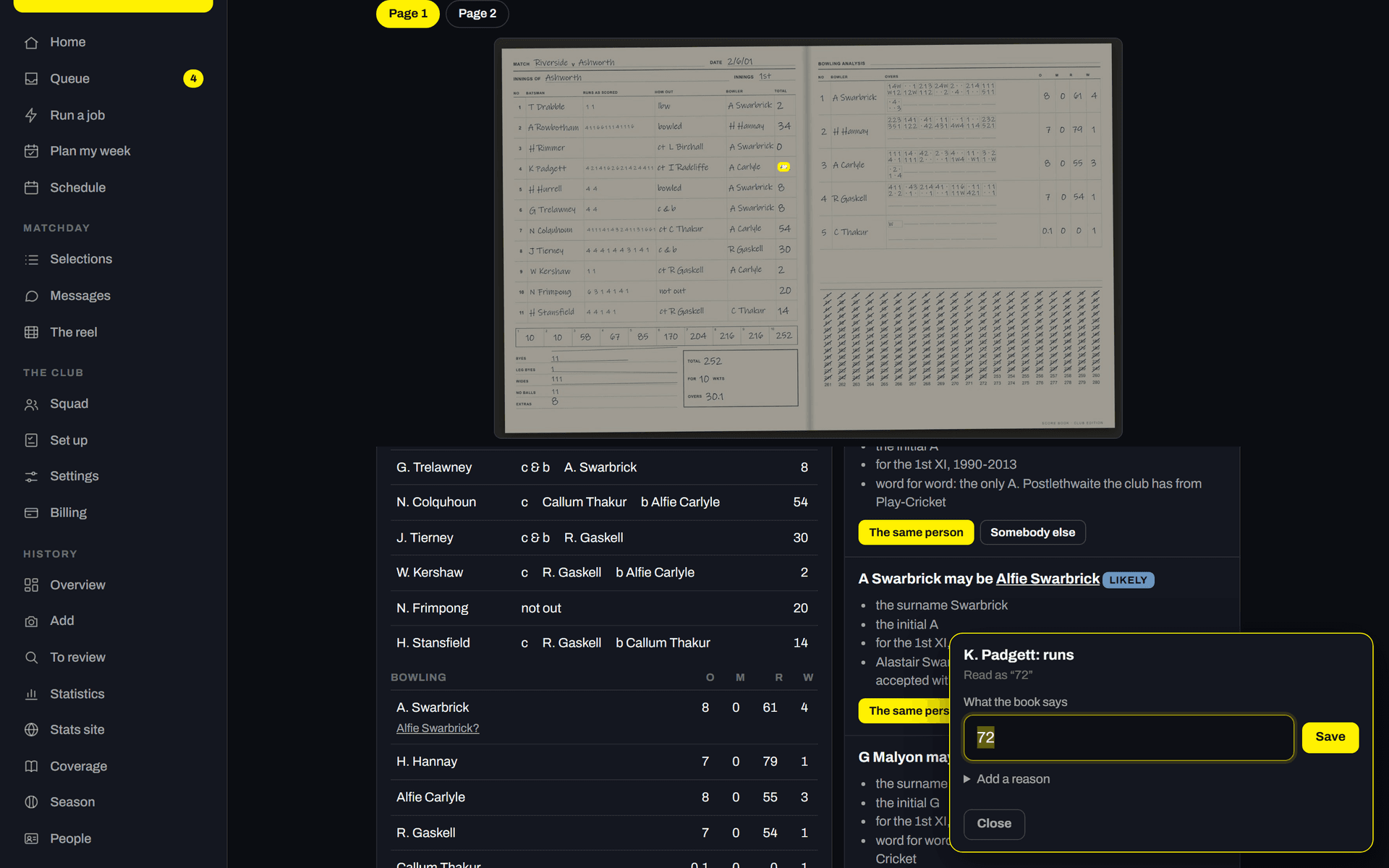
Riverside, our demonstration club.
Stuck? Email pavilion@promptlymade.co.uk.